


State Farm®
4.634.69K Reviews
App Specs
- Version
- 10.165.1
- Updated On
- License
- Free
- Downloads
- 10,000,000+
- Developer
- State Farm Insurance
- Categories
- Finance
- Platform
- Android, iOS
Screenshots
 Analysis by AppCompare
I’ve found that an insurance app is most useful when it can turn a small, time-sensitive task into something I can handle without digging through paperwork. That is the practical appeal of State Farm®: it gives customers a mobile place to deal with everyday account and policy needs. The experience still depends on being able to connect and sign in, so I see it as a convenient companion to the insurer’s other ways of getting help, not a replacement for every conversation or situation.
When a connection matters
Several of the app’s most useful jobs involve getting current information or sending something to State Farm. Checking an insurance card, paying a bill, starting a claim, and using support are all tasks I would plan to do with a working internet connection. That matters most when I’m away from home: a digital card can be handy in the moment, but I would not wait until I’m standing beside a car to discover that I can’t sign in or load the screen I need.
My practical habit would be to open the app before a trip and confirm that I can reach the account and find the relevant policy information. That small check is more useful than assuming a mobile app will always be ready in a dead zone. I’d also keep any required details easy to locate through the options State Farm provides, rather than treating one phone screen as the only way to access them.
Useful in the middle of an ordinary day
A realistic example is noticing a bill reminder between errands. Instead of postponing it until I’m back at a computer, I can use the phone to check the account and handle payment, assuming the connection and sign-in are working. Another is a minor incident in a parking lot: I can look for the claim workflow and see what information it asks for while details are fresh. I’d still take notes and photos as appropriate, rather than relying on memory or expecting the app to make every decision for me.
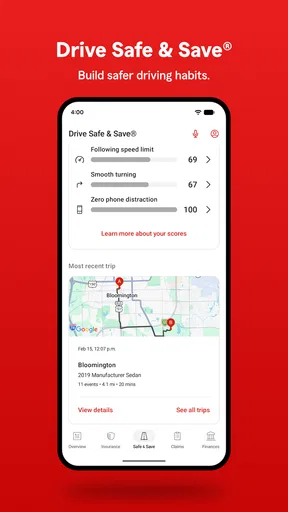
The driving program is a different kind of use. Drive Safe & Save™ makes the app relevant during regular trips, not only when a bill or policy question comes up. I’d think about whether I’m comfortable with a program that uses driving activity before enrolling, and read its terms carefully. The possible savings may appeal to drivers who like feedback, while someone who doesn’t want that kind of tracking may prefer to use the insurance account functions without making the program central to their experience.
What to do when the app gets in the way
A login issue, a slow connection, or a screen that won’t load can turn a supposedly quick task into a frustrating one. I would first check that the phone has a usable connection, then try again and make sure I’m using the account details associated with my policy. If the problem continues, the app’s support options or the local agent contact information are sensible next steps. For an urgent situation, I would not keep tapping through a stalled screen when another available contact route is more practical.
That is also why I would treat notifications as reminders, not as my only system for keeping track of important dates. Alerts can be convenient, but a person changing phones, adjusting notification settings, or dealing with connectivity gaps can miss one. I’d make a habit of checking the account directly when I need to confirm a payment or policy detail, especially before relying on it for a decision.
Worth Reading Before You Choose

EA SPORTS FC Mobile 26 Is a Bigger Football Game, but It Takes Time

Flipboard Shows What News Apps Must Do Beyond the Feed

Switching to Android Auto Means Rethinking Your Driving Routine

Google Calendar Makes a Crowded Week Easier to Manage

Ludo King Makes the Most of the Minutes Between Plans

Baby Panda World Brings Quick Play to Modern Phones, but Its Game Library Feels Busy
Getting Started
First things first, downloading the State Farm® app is a breeze. It's available on both Android and iOS, so no one gets left out. Once you’ve got it on your phone, the setup process is straightforward. Just log in with your existing State Farm account or create one if you're new. I was pleasantly surprised by how smooth and intuitive the interface is. No rocket science degree needed here!
Features That Stand Out
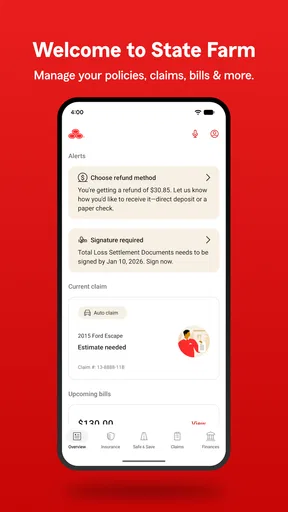
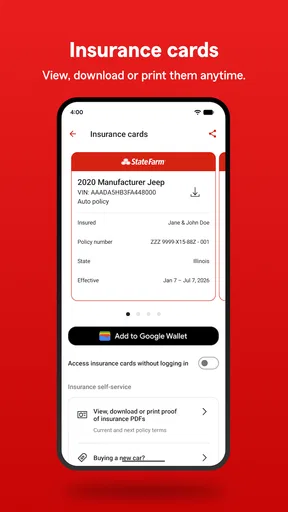
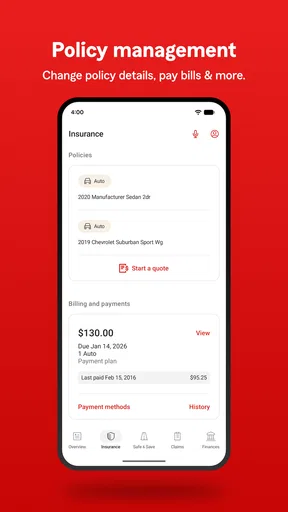
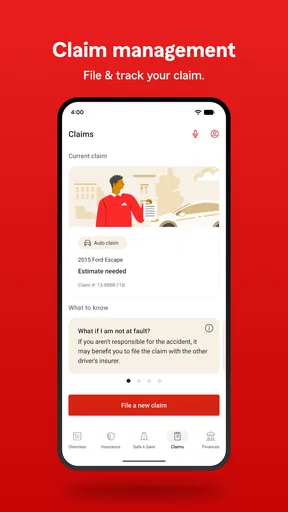
What really caught my eye were the features packed into this app. You can view your insurance cards digitally, which means no more rummaging through your glove box during a traffic stop. Need to pay a bill? Easy peasy, just a few taps and you're done. Plus, you can file a claim directly from the app. It’s like having an insurance agent in your pocket.
Another cool feature is the Drive Safe & Save™ program. By using this, you can potentially save some cash based on your driving habits. The app tracks your trips and offers feedback. I found it quite motivating, not to mention the potential savings.
Usability and Design
Let’s talk about usability. The app is incredibly user-friendly. Everything is laid out in a way that makes sense, and the navigation is smooth. I appreciate the clean design and how everything loads swiftly. It’s clear that a lot of thought went into making this app accessible to everyone, regardless of tech-savviness.
Notifications are another plus. You get timely alerts for upcoming payments, policy changes, and other important updates. It’s like having a personal assistant reminding you about your insurance without being annoying.
Customer Support at Your Fingertips
If you ever need help, the app has a nifty chat feature that connects you to customer support. I tested it out, and it didn’t disappoint. The responses were quick and helpful, which is a huge plus when you need answers fast.
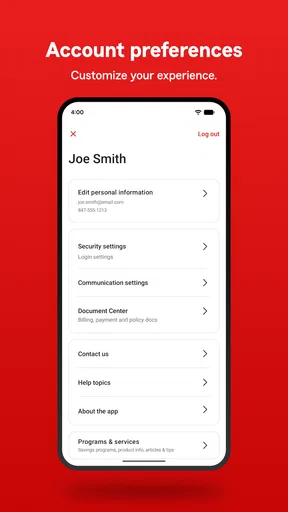
And if you're the type who prefers talking to a human, the app makes it easy to find contact info for your local agent. It's nice to have options, you know?
Who I’d recommend it to
I’d recommend this finance app mainly to people who already have State Farm policies and want routine account tasks close at hand. It is free, has an Everyone content rating, and comes from State Farm Insurance. It has a 4.6 average from around 414,000 ratings, with over 10 million installs, which suggests many customers find a dedicated app worthwhile. It was released in 2010, and version 10.154.1 requires Android 10 or later.
It is less compelling if you are shopping across insurers and want one neutral place to compare coverage, or if you prefer to handle every insurance matter with an agent. This is built around State Farm relationships, not as a marketplace for managing policies from several companies. A general budgeting or banking app may be a better daily hub for someone who wants a broad view of spending; this one is more focused on insurance access and related account tasks.
Small habits that make it more useful
I’d take a few minutes after signing in to identify where the insurance cards, payment area, claim tools, and agent contact details sit. That is more useful than learning the interface during a stressful moment. If more than one household member may need access to policy information, it is worth agreeing in advance on how each person should sign in and where to find the right policy, rather than sharing credentials casually.
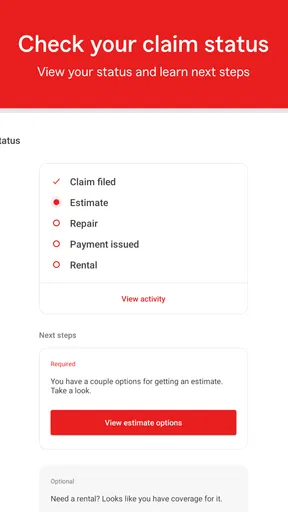
For a claim, I’d use the app as a starting point for organizing the next step, not as a substitute for carefully recording what happened. Write down the time and location while they are fresh, and keep relevant photos together so you can provide clear details if asked. The convenience is that the process is available on the phone; the trade-off is that typing a full account of an incident on a small screen can feel awkward. If the situation is complicated, talking with support or an agent may be easier than trying to explain everything in one sitting.
Data-conscious users should also distinguish ordinary account access from the driving program. Since Drive Safe & Save™ involves trip tracking and feedback, I would review the program information and decide whether its possible savings and driving insights are worth that exchange for me. I would not enroll simply because it is visible in the app. That is a personal preference decision, and the best choice depends on how comfortable I am with the program’s approach to driving information.
Choosing between the app and other routes
Compared with calling an agent for every routine question, the app is better suited to quick checks and straightforward tasks I can complete myself. Compared with a website, a phone app is convenient when I’m already out and need to reach my account, though a larger screen can be more comfortable for reviewing dense policy information or writing a longer explanation. I would use whichever channel makes the task clearer, rather than forcing everything onto mobile.
The app also does not remove the value of human help. A simple payment or card lookup is a natural fit for self-service; a confusing coverage question, a complex claim, or a decision with meaningful consequences may deserve a conversation. Having agent contact information nearby is useful precisely because some issues do not become simple just because they appear on a screen.
In Conclusion, the State Farm app is a game-changer for managing insurance. Whether you need to pay a bill, file a claim, or just check your coverage, it’s all at your fingertips. With its user-friendly design and robust features, it makes dealing with insurance almost enjoyable. So, if you’re a State Farm customer or thinking about becoming one, this app is definitely worth checking out.
My connectivity verdict
For me, the strongest reason to keep it installed is the combination of quick insurance-card access, account tasks, and a route to support in one place. The main caveat is that those conveniences are tied to a working connection and account access, so I would prepare before travel and keep another way to contact help in mind. If I already use State Farm and want routine insurance management on my phone, it makes sense; if I need insurer-neutral tools or prefer personal service for every step, another approach will fit better.
Pros
- User-friendly interface simplifies navigation.
- Comprehensive policy management tools.
- 24/7 customer support enhances reliability.
- Quick claims processing saves time.
- Secure login protects personal information.
Cons
- Limited features in the basic version.
- Some users report occasional app crashes.
- Updates can be slow to roll out.
- Not all services available in every state.
- Requires stable internet connection.
FAQs for State Farm®
What services does the State Farm® app offer?
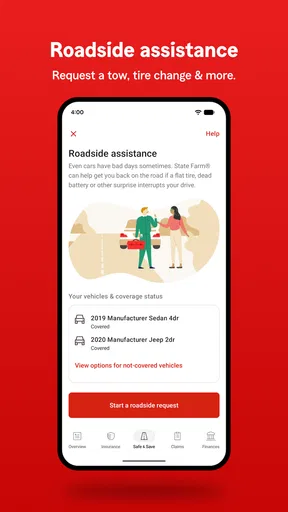
The State Farm® app provides a comprehensive suite of services for users to manage their insurance policies and financial products. You can access policy details, file claims, track claim status, view ID cards, and even request roadside assistance. Additionally, the app offers banking and investment services, making it a versatile tool for managing your financial needs.
How secure is my personal information on the State Farm® app?
State Farm® prioritizes your privacy and employs advanced security measures to protect your personal information. The app uses encryption and secure login features to safeguard your data. Regular updates and security patches are implemented to ensure ongoing protection. Users are encouraged to use strong, unique passwords and enable biometric login for added security.
Can I pay my insurance bills through the State Farm® app?
Yes, the State Farm® app allows you to conveniently pay your insurance bills directly from your mobile device. You can set up one-time payments or schedule automatic payments for added convenience. The app also keeps a record of your payment history, which can be accessed anytime for your reference.
Is the State Farm® app available for both Android and iOS devices?
Absolutely, the State Farm® app is available for download on both Android and iOS platforms. You can find it on the Google Play Store and the Apple App Store. The app is designed to be user-friendly and optimized for performance across a wide range of devices, ensuring a smooth user experience.
What should I do if I encounter issues with the State Farm® app?
If you experience any problems with the State Farm® app, there are several steps you can take to resolve the issue. First, ensure that your app is updated to the latest version. If problems persist, try clearing the app cache or restarting your device. For further assistance, you can contact State Farm® customer support directly through the app or their website.


